Viewing Company Policy accounts
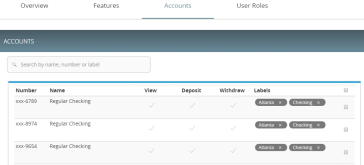
The Accounts tab contains a list of accounts that users can view. These accounts are read-only at the Company Policy level, but can be tailored within the individual User Roles.
Account tab
To view accounts
- In the navigation , click or tap Commercial > Company Policy. The Company Policy page appears with a list of Transaction Types.
- Click or tap the Accounts tab to see a list of accounts.
See Editing User Role accounts for more information on changing accounts within User Roles and the company-wide effects that any changes will have.